
In your terminal
Real output from a demo site. Tap any screenshot to open it full size.
What you get
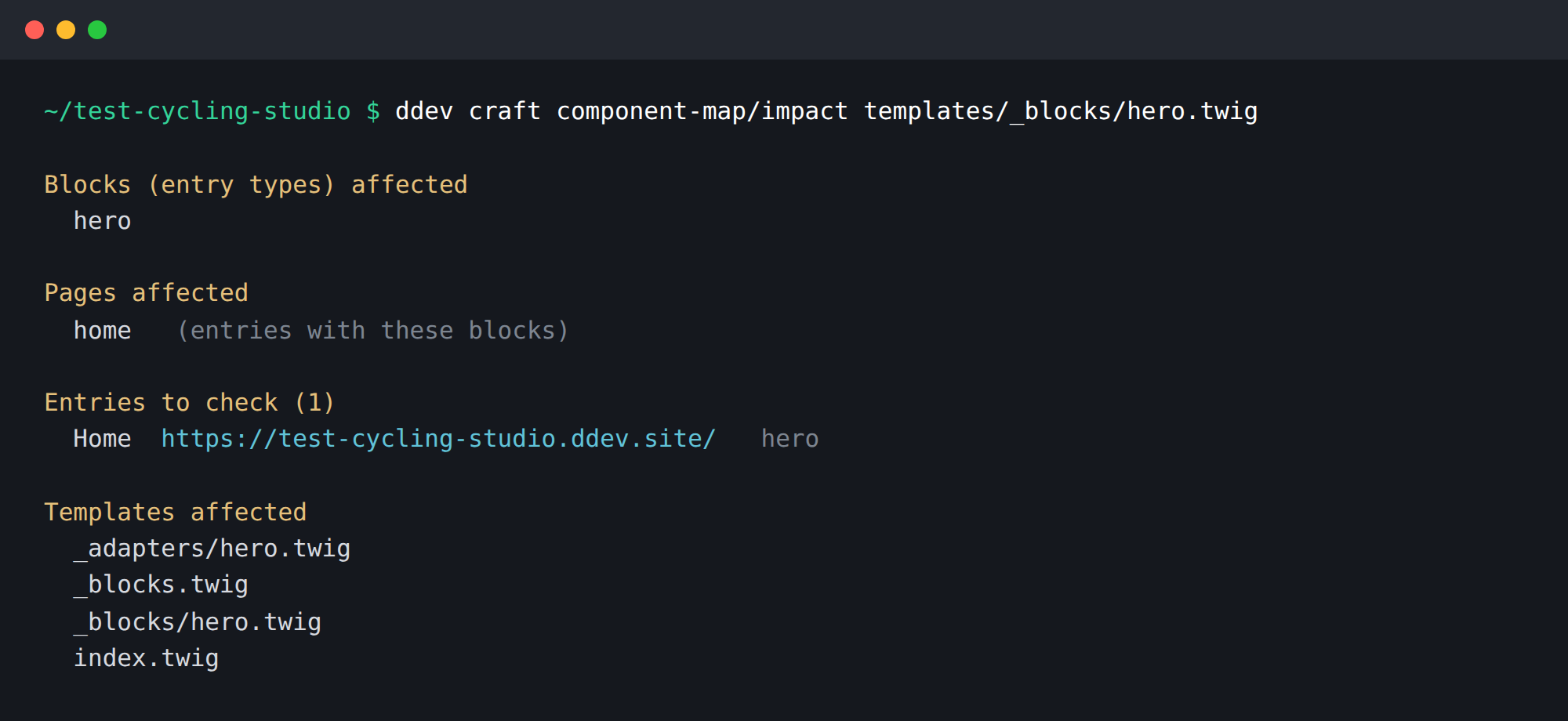
impact takes the files you changed — named, --git for what is uncommitted, or --since=main for the whole branch — and returns the templates, blocks and pages they reach.
Not “the Hero block” but the entries that contain one, with their URLs — however deeply the block is nested. A card inside a cards grid on a page still leads you to the page.
A dispatcher like '_adapters/' ~ block.type.handle is resolved against your entry types, so a component change is traced to the blocks it affects — not just the files that include it.
A changed entry type, Matrix field or section in project config is followed through the content model. A deleted template is traced through everything that still references it.
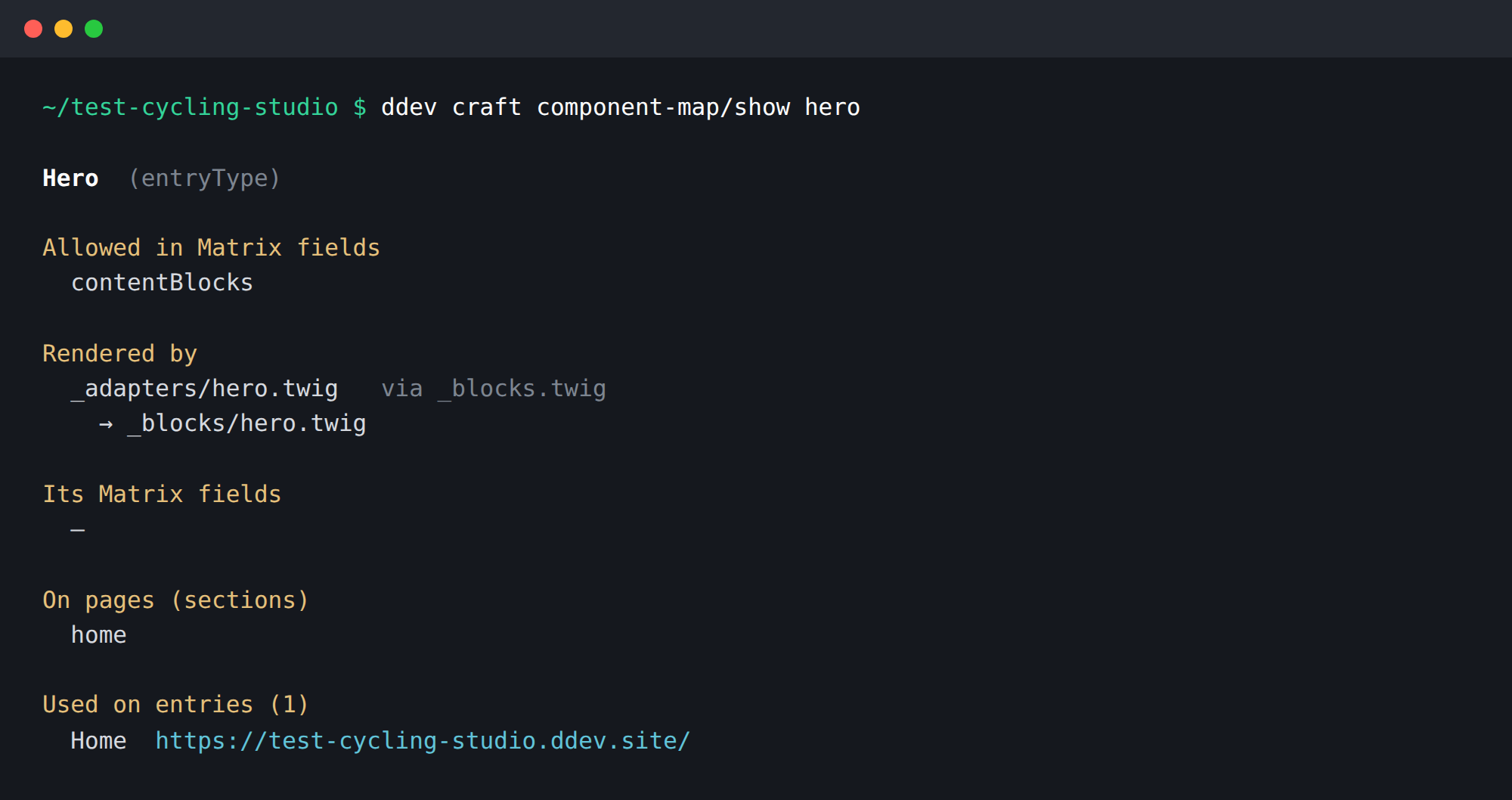
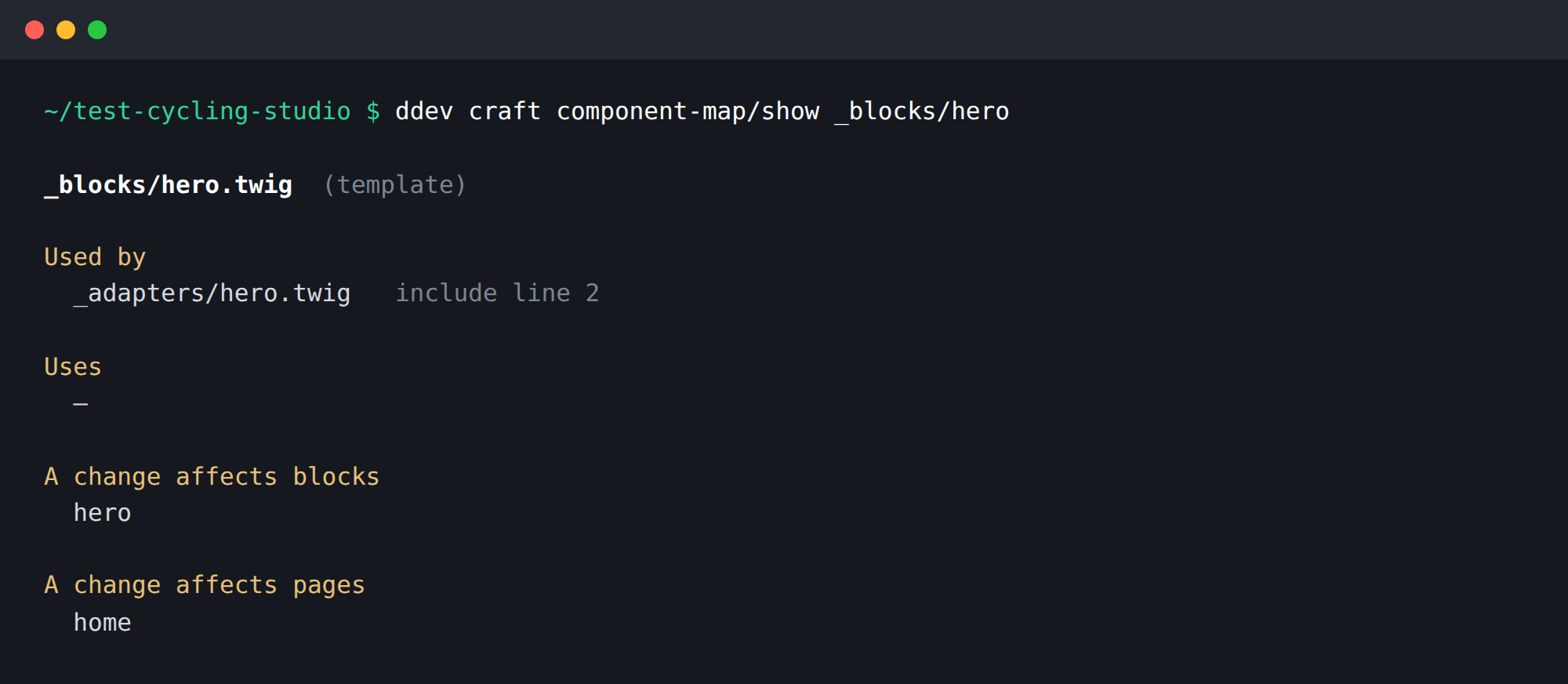
show takes a template, a block or a section and tells you what uses it, what it uses, and which entries it is on — or that no entry uses a block yet.
One command adds a short note to AGENTS.md or CLAUDE.md, so Claude Code, Cursor or Codex checks the map before and after it edits a template. Every command also speaks --json.
Works with what you already have
Nothing to set up. Component Map reads your templates with Twig’s own lexer and your content model through Craft — no config, no annotations, no build step. The map is worked out on every call, so it is never out of date and there is no file to commit.
And removing it leaves nothing behind
- No migrations. There is no schema of ours in your database.
- Read-only. Templates, the content model and which entries contain which blocks are read; nothing is ever written to them.
- Nothing in your repository. A snapshot, if you ask for one, goes to
storage/. The only file it writes in your project is the agent note — and only when you run that command. - Console only. Nothing is served over HTTP.
- Uninstall from the control panel first, then
composer remove. That order keeps your project config clean.
Open source under the MIT licence, and free for good. It is built for local development — install it where you and your coding agent edit templates.
Installing
From the project you want it in: Plugin Store in the control-panel sidebar, then search for “Component Map”, or
composer require b10k/craft-component-map
Then, after your next change:
php craft component-map/impact --git
Questions, or something not working?
The plugin is built and supported by me — bug reports, feature ideas and “this missed a template” notes are all welcome.
Open an issue on GitHub